Cloud Migration Without Downtime: A Practical Phased Plan
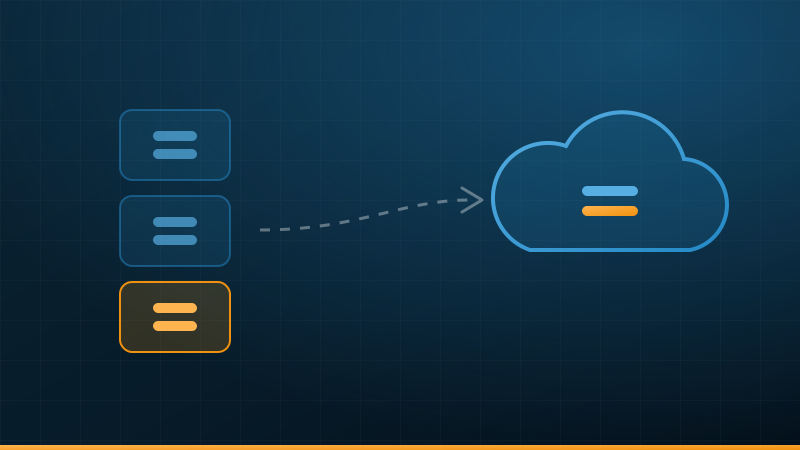
The decision to move to the cloud is usually made in a single meeting, but its success is decided by dozens of small decisions afterwards. Organisations that migrate without downtime do not have different technology; they have a different order of work: they know what they have, they move it in phases, and they always keep a way back.
Why do migrations stall?
The most common reasons migrations stall are not purely technical: a legacy system that another system depends on without anyone knowing, a monthly bill higher than expected, or a full cutover in one night with no rollback plan. These are all planning problems, and they can be avoided before a single server is moved.
Phase one: inventory your systems and their dependencies
You cannot move what you do not know. Start with a list that covers, for each system:
- What it does, which department depends on it, and the business impact if it stops
- The systems it connects to or that connect to it, and how they connect
- The size and type of its data, and whether it includes personal or sensitive data
- Its licence, and whether it allows running in a cloud environment
- Its business owner, and who knows it technically
The dependency map is the most important output of this phase. Moving one system while a system linked to it stays on premises can add enough connection latency to disrupt work, even if each system runs fine on its own.
Phase two: what moves first?
Do not start with the most important system, or the most complex. Start with a system that has few dependencies and medium importance, so the team can learn without much risk. Then order the rest by two criteria: the value of moving it, and how hard it is.
| Category | Common examples | Right time |
|---|---|---|
| Low risk | Test environments, backups, and standalone internal systems | The start |
| Medium | Business applications with known dependencies | After the first trial succeeds |
| Critical | Core systems and central databases | Once experience is gained and the rollback plan is ready |
| Not moving now | Legacy systems whose licence does not support the cloud, or that are due to be replaced soon | Reviewed later |
Not everything has to move. A hybrid environment across on-premises and cloud is a legitimate and stable choice for many organisations, as long as it is clearly managed.
The cost model changes
On premises, you pay upfront for servers that are depreciated over years (capital expenditure). In the cloud, you pay monthly for what you use (operating expenditure). The shift is good for flexibility, but it means the bill changes every month and neglect is paid for immediately. Watch out in particular for:
- The cost of moving data out of the cloud: many providers charge for outbound data, and it can be significant if your systems exchange a lot of data with on-premises systems
- Idle resources: test servers left running, disks not attached to any server, and old snapshots that were never deleted
- Oversizing: moving a server with the same specification it had on premises is usually more than it actually needs
Compare the full cost of both sides: on premises, do not forget power, cooling, space, maintenance and hardware replacement; in the cloud, do not forget data transfer, storage, backup and support.
Data residency inside the Kingdom
Before choosing a provider and region, decide where your data must be kept. The Personal Data Protection Law places restrictions on transferring personal data outside the Kingdom, and the Cloud Cybersecurity Controls issued by the National Cybersecurity Authority apply to specific entities and include requirements on data location. Your sector's regulators may impose additional requirements.
The practical step: classify your data during the inventory phase, ask the provider for written confirmation of where the data and its backups are stored, and give this to your legal adviser or your organisation's compliance officer before signing.
Execution: a trial, then a phased cutover
1. The trial
Move one low-risk system completely, and run it long enough to measure real performance and cost and to test monitoring and backup. What you learn here adjusts the plan for everything after it.
2. Phased cutover
For each system, run the cloud version in parallel with the existing one, keep the data synchronised between them, then move users over gradually or in a quiet window agreed with the department concerned. The goal is for the cutover itself to be a short step with a known outcome, not a long migration.
3. The rollback plan
Before every cutover, answer three questions in writing: what indicator means the cutover has failed? Who owns the decision to roll back? And how long does it take to return to the existing system? Do not switch off the old environment until the cloud has been stable for long enough.
Operations after the migration
The end of the move is not the end of the work. A cloud environment needs continuous operation:
- 24/7 monitoring of availability and performance, with alerts that reach a named person
- A monthly cost review that removes idle resources and adjusts sizes
- Backup independent of the primary environment, with regular restore tests
- Regular review of permissions and security settings
- A clear service level agreement for whoever runs operations
And because the cloud does not replace backup, see the article An Untested Backup Is Not a Backup. If you will outsource operations to a third party, the article How to choose a managed IT services provider (in Arabic) helps you set the selection criteria.
The bottom line
Moving to the cloud without downtime is possible for most organisations, provided it is treated as a series of small, reversible steps rather than one big cutover project. Know your systems and their dependencies, start with the easiest, watch the cost from the first month, and decide where your data lives before signing. And if you want a starting point, an assessment of your current systems shows what can move first and what is better postponed.